Last updated:
Agent experience is a marketing job
My coding agent read our docs at Bright Data, where I work on product marketing, before I did. It never clicked the copy button on our product page or marketing page. It never saw the hero section.
In seven months, readers like it went from 15% of the traffic to the docs Mintlify hosts to 66%.
If your pages don’t answer an agent in plain text, it won’t ask twice. It picks a tool that does. And being skipped isn’t even the worst case. The worst case is an agent quoting your old price to a builder, with total confidence.
That’s agent experience (AX): how easily an AI agent can find, understand and use your product for a builder, the developer who asked the agent to do the job. Most teams file it under engineering. That’s the mistake. Why marketing? Product marketers turn product messaging into website copy, and they present it to the reader in the right order. Now, as the diagram below shows, the first reader is an agent. The reader changed. The job didn’t.
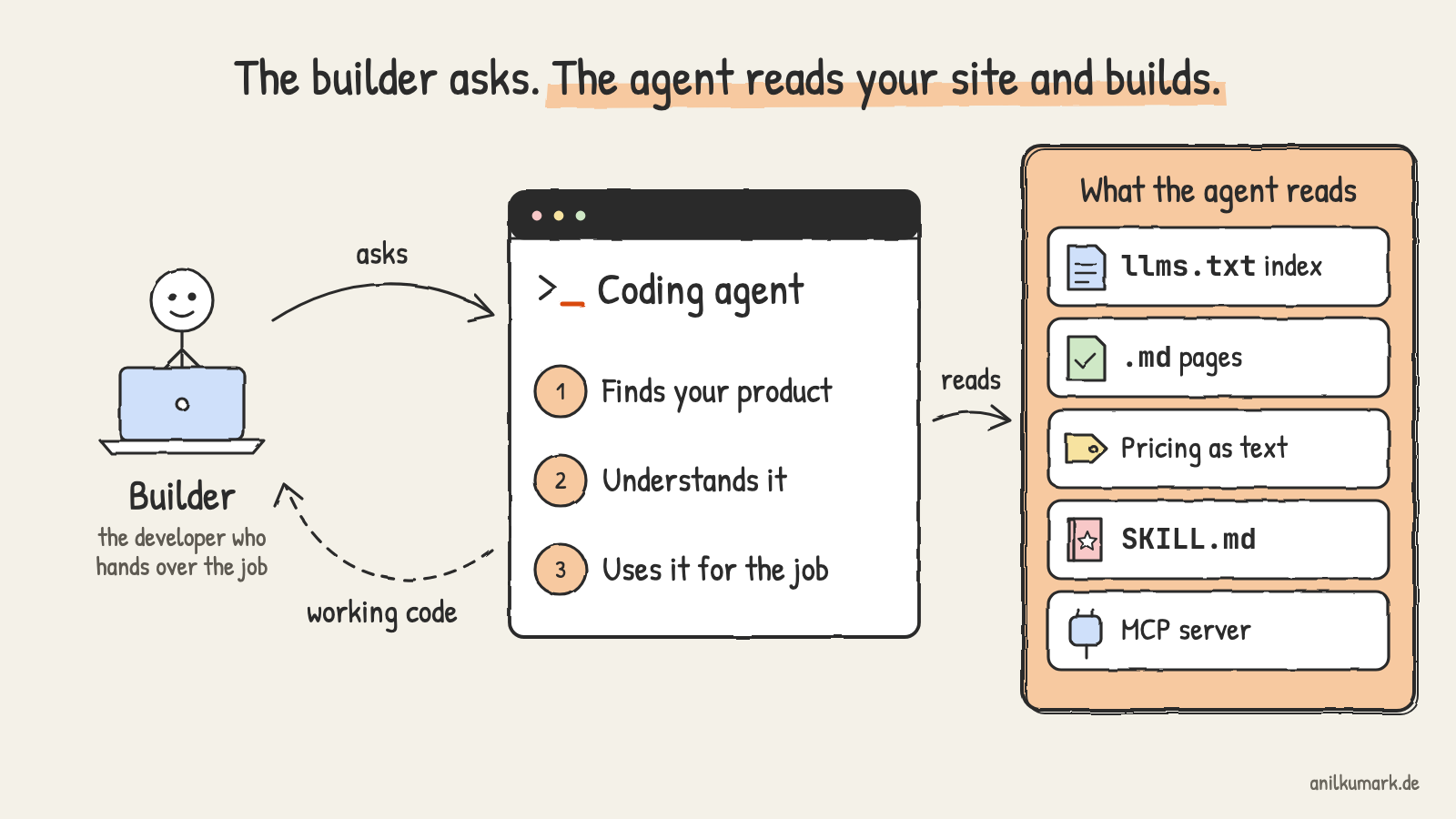
The builder asks. The agent reads your site and builds.
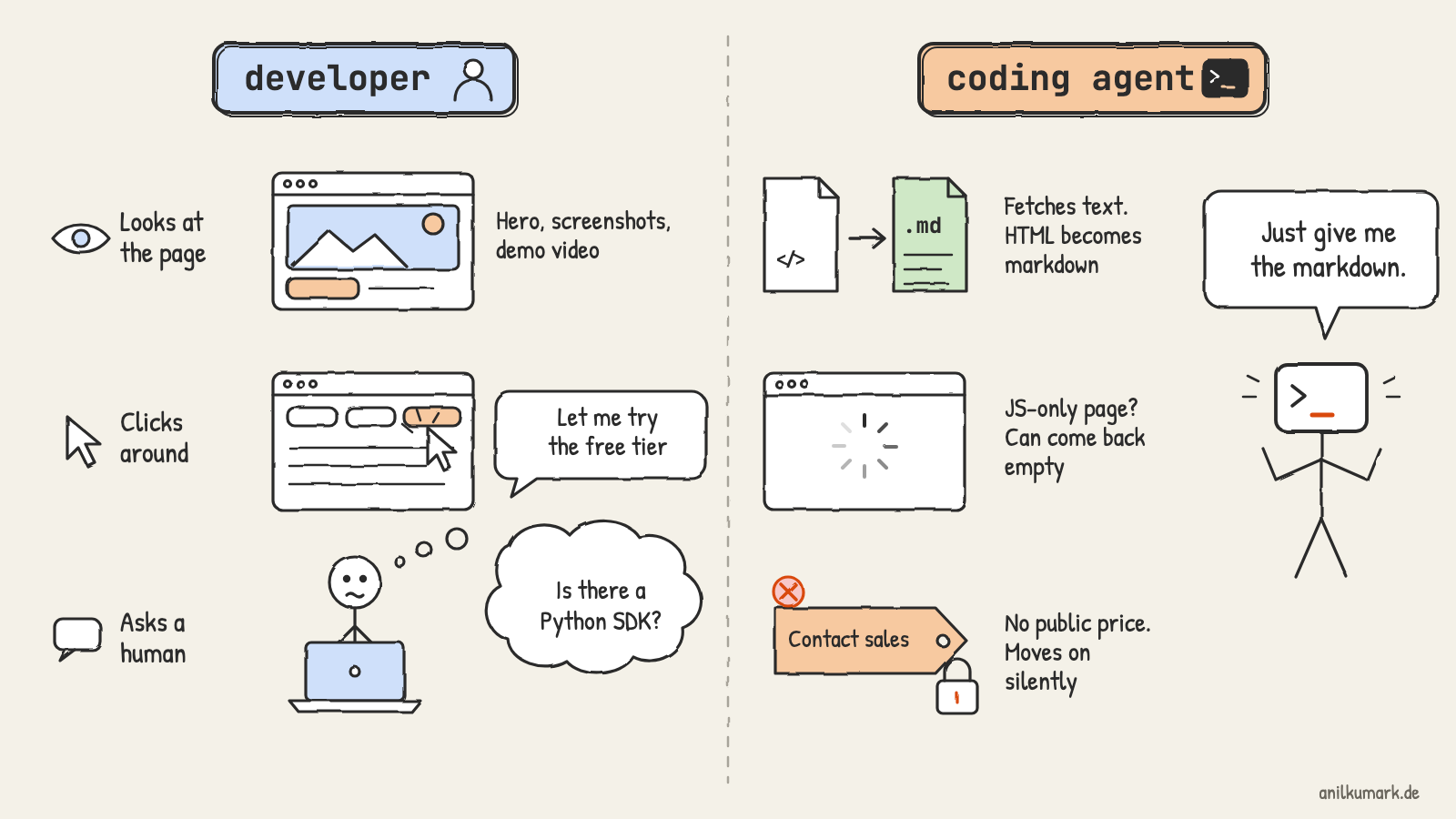
One page, two readers. The developer looks, clicks and asks. The agent just wants the markdown, and leaves without a word when it can’t find the answer.
The copy button nobody clicked
For years, developer-friendly meant one thing to me: a one-click terminal command. Copy, paste, you’re in. I built pages around that moment.
Then I tried building an Instagram scraper using Bright Data’s Instagram Scraper API myself, with a coding agent. Instead of the docs, I gave it brightdata.com/SKILL.md. It set itself up using one command: npx -y skills add brightdata/skills -y. If the answer wasn’t in that text, the agent never saw it.
So I checked whether this was just me. It wasn’t. Cloudflare reports that coding agents like Claude Code already ask servers for markdown instead of HTML. On many docs sites, the agent is now the main reader. Your hero section is a painting in a room the main reader never walks into.
What I changed, and what I still can’t prove
So I rewrote Bright Data’s docs for the new reader. Three changes, none of them glamorous:
- I updated our llms.txt, the index agents use to find pages.
- I added FAQs written from search intent. Plus the most common support ticket questions. Not what we wished people asked. The questions people actually type, answered in two or three sentences.
- I cleaned up pages, cutting the packaging an agent has to dig through.
We saw more traffic from agents afterward. But I can’t tell you which change did it. Maybe one. Maybe all three. That’s the honest state of AX in 2026. The direction is clear, the attribution isn’t.
So don’t wait for proof of cause. Test what you can see.
Read your page like an agent does
Open Resend’s pricing page in markdown and you get every plan in plain tables, the FAQ at the bottom, and nothing else. An agent doesn’t have to dig for what Resend costs.
That’s normal among developer tools. When I checked, 15 of 16 developer tools served a pricing page like that. Of 12 big SaaS names, only 1 did. Developer tools are ahead. But the rest of SaaS hasn’t noticed who’s reading.
Here’s what an agent thinks on a pricing page that only says “Contact sales”:
- Fetch /pricing. A wall of JavaScript, no numbers.
- Try /pricing.md. Not found.
- “Contact sales”? I can’t fill in a form.
- Next tool on the list.
Four steps. No complaint, no ticket, no second visit.
But pricing is one page. The first diagram shows the agent’s three jobs on your site: find your product, understand it, use it for the job. Here are ten developer tools doing each job well, plus one way to count the new readers.
1. Help the agent find you
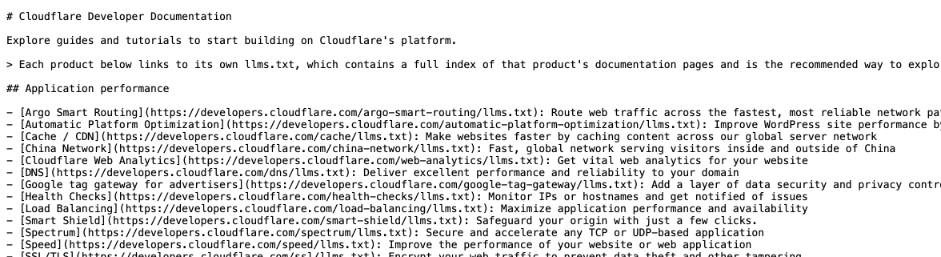
Cloudflare gives every product its own index. The top-level llms.txt links one llms.txt per product, so an agent only loads the product it needs.
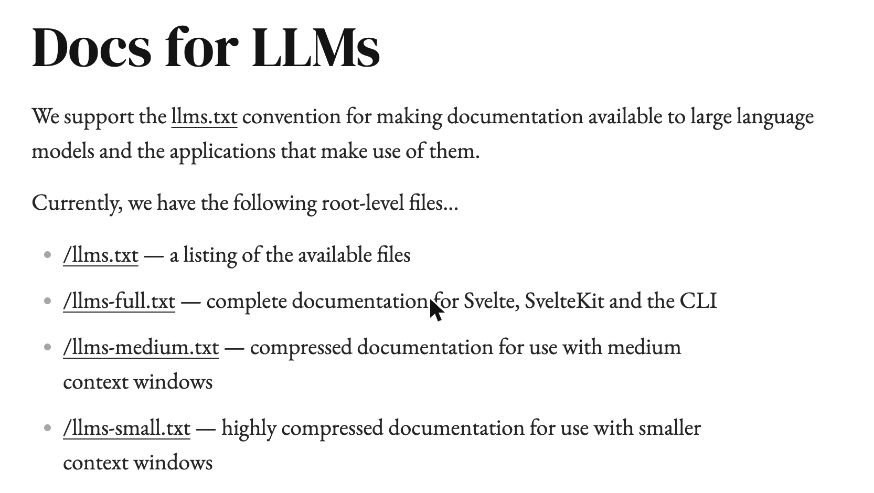
Svelte sizes its docs for the context window. Its Docs for LLMs page offers llms-full.txt, plus medium and small versions compressed for smaller context windows. The agent picks the size that fits.
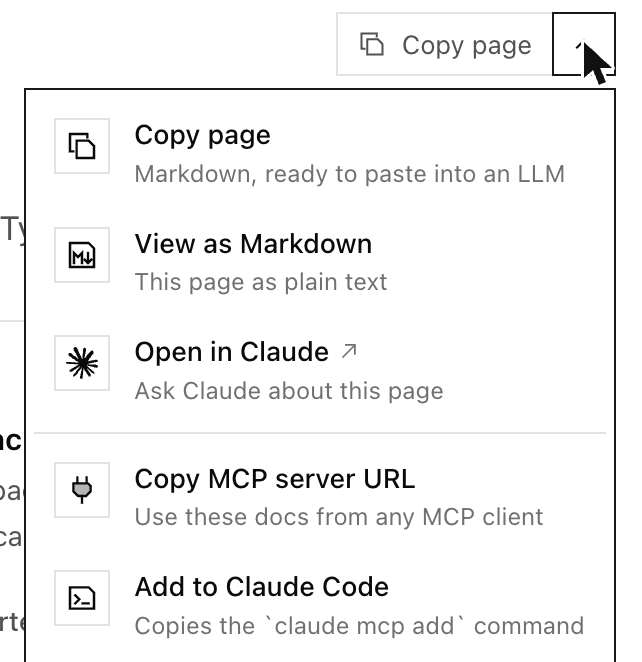
Bun lets the reader hand the page to their agent. The Copy page menu on every docs page copies it as markdown ready to paste into an LLM, opens it in Claude, or adds Bun’s docs MCP server (MCP is the standard plug that lets an agent use a tool directly) to Claude Code. The HTML also links its markdown twin in the page head.
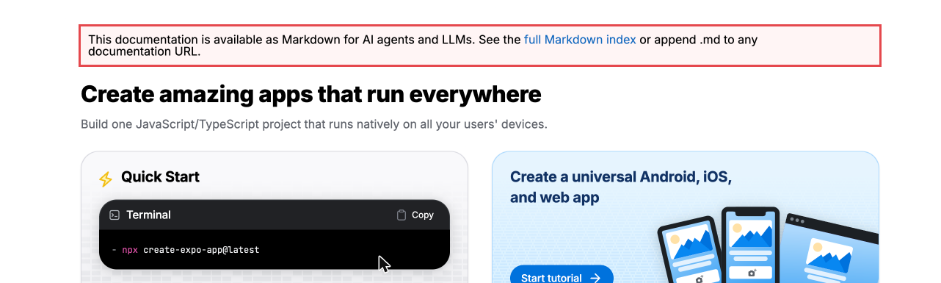
Expo leaves a note for agents on every page. The top of each docs page carries a line hidden from the visual design: the docs are available as Markdown, and you can append .md to any URL. A human scanning the page never sees it. An agent reading the HTML does.
2. Help it understand you
Stripe writes instructions to the agent. Its llms.txt has a section of best practices addressed to LLM agents, and its Agents and AI page says any docs URL works with .md added.

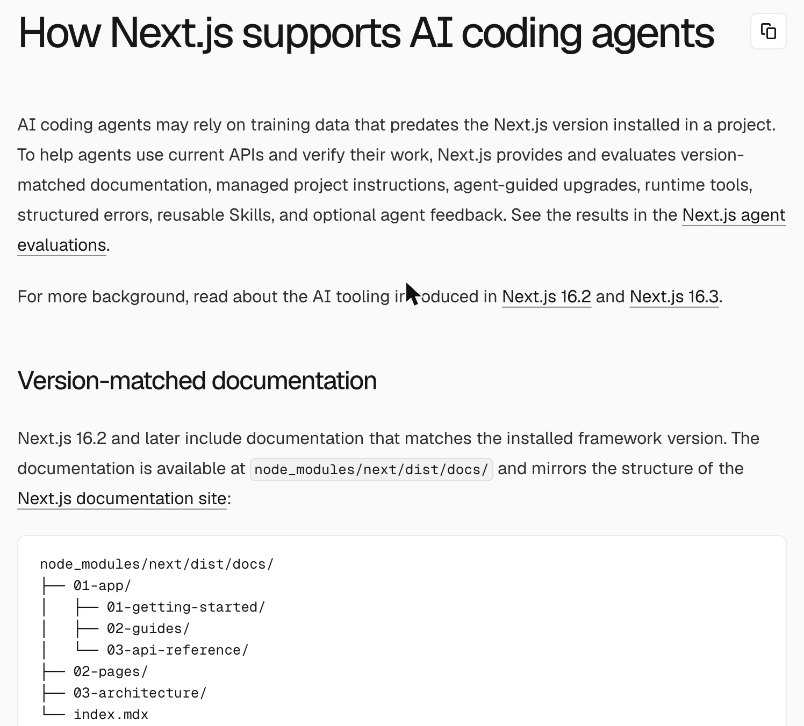
Next.js puts the right docs where the agent already works. A coding agent learned Next.js from training data, often a version or two behind, so it confidently writes code for APIs that changed. Since 16.2, Next.js ships docs that match your installed version inside the project, in node_modules/next/dist/docs/. The agent reads the docs for the version you run, not the one it remembers. Fewer wrong answers, no web search.
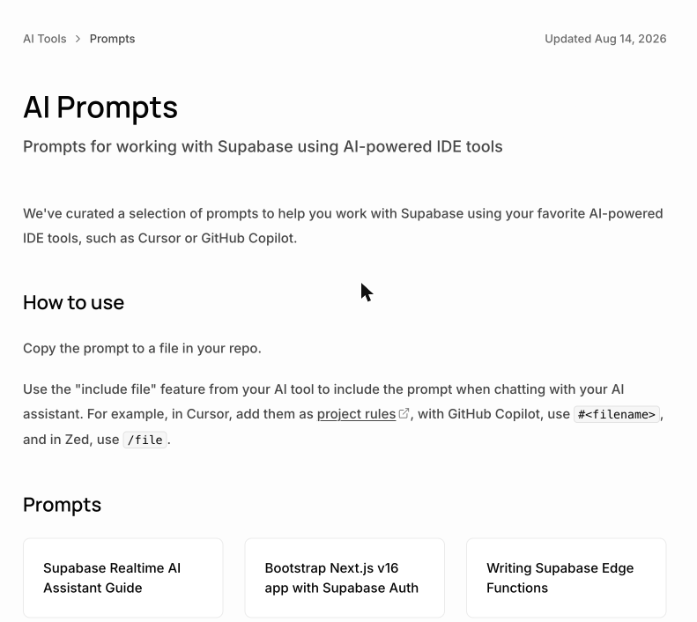
Supabase hands you the prompt files. Its AI Prompts page gives rule files to drop into Cursor, Copilot or Gemini, so your editor’s agent starts with Supabase’s best practices.
3. Help it use you for the job
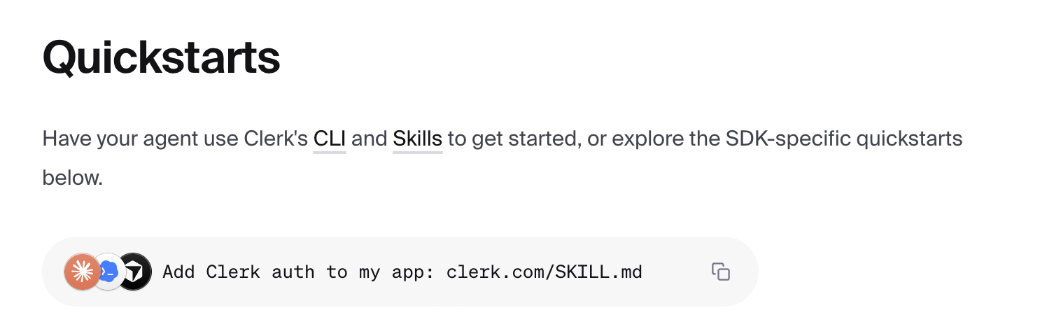
Clerk’s quickstart is one line for your agent. The quickstart page offers a prompt to paste: “Add Clerk auth to my app: clerk.com/SKILL.md”. The markdown version is very simple, with clear next steps. Agent prompt and CLI, that’s it.
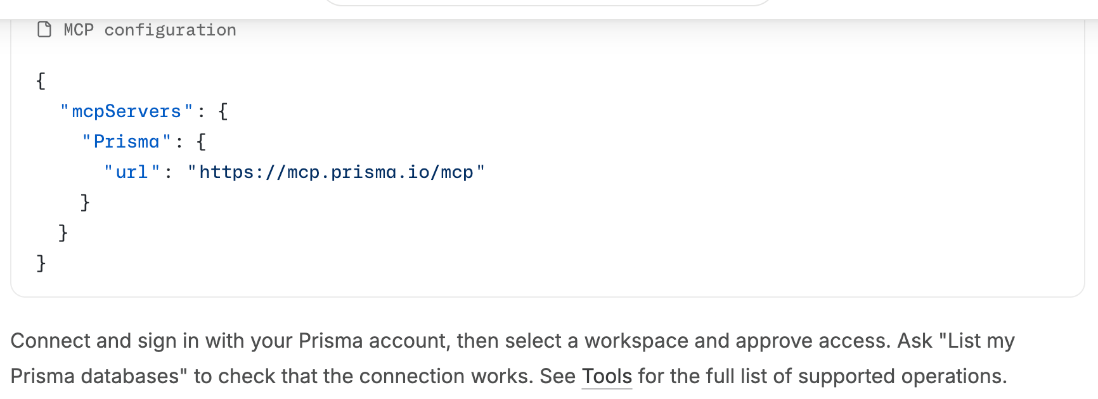
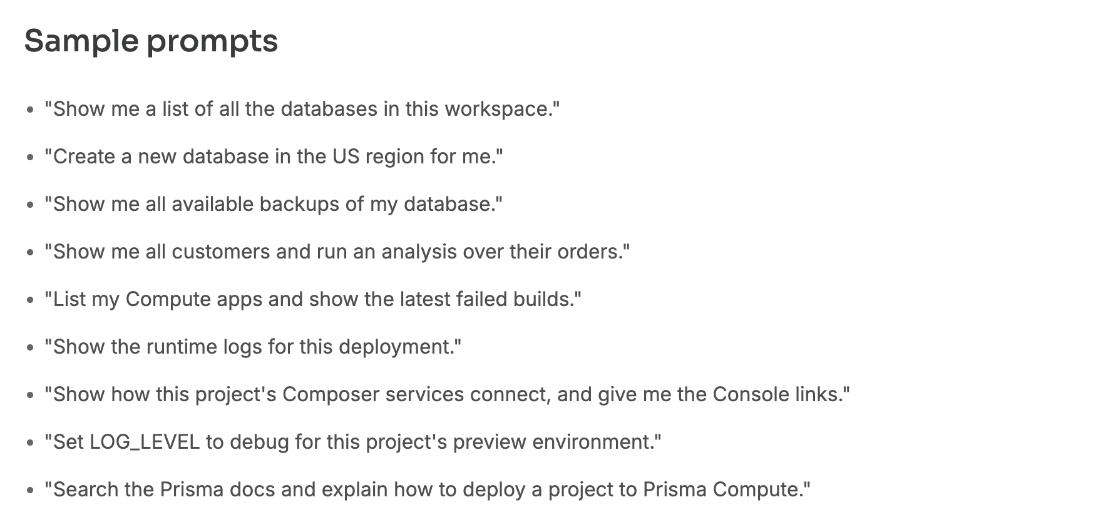
Prisma shows the agent’s first success. Its hosted MCP server comes with a test prompt: “List my Prisma databases” (MCP server). Then nine sample prompts show what to ask next, from listing databases to reading deployment logs.
4. Count who’s reading
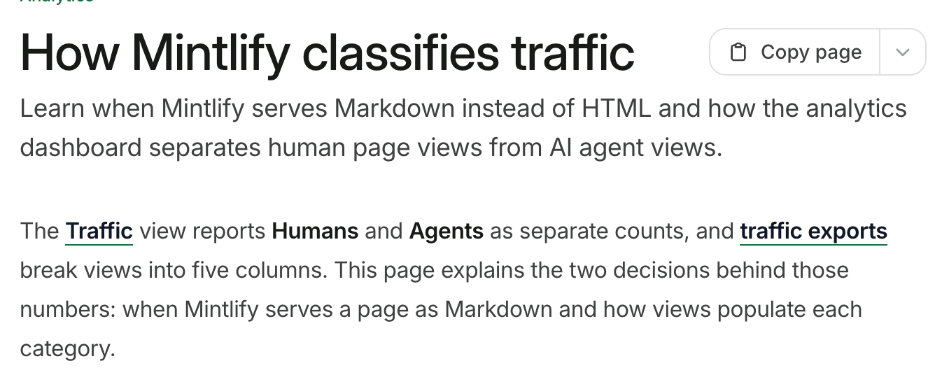
Mintlify counts agents as readers. Its analytics split page views into humans and agents. When the agent reads the docs for the developer, the developer stops visiting. Count only humans and a page that’s doing its job looks like it’s dying. Count both and you see who your docs actually serve, and which pages agents rely on.
Now look at who could own each of these. An index per product is information architecture. A note to agents is copy. A prompt file is onboarding. A test prompt is the first success moment. A traffic split is attribution. Engineers ship some of it. But deciding what the agent reads first, and in what order, is the product marketing job.
The install command lost its job
For fifteen years the most important line on a developer tool’s homepage was an install command, behind that copy button. An agent needs something else: a SKILL.md, one file it reads and follows, not a command to paste.
A skill is almost nothing technically. It’s some metadata at the top and plain instructions below. The agent loads only the name and description at startup, a sentence or two, and opens the full file when a task matches. So the description is the trigger, not a tagline. Write it like a job spec, in the words of the task the agent is doing.
I wrote the full anatomy in The install command is no longer your most important CTA, and I ship a skill for this site at anilkumark.de/skill.md. If you market a developer tool, your skill is now a distribution channel. Treat it like one.
When the agent is the one using it
On 20 November I showed a colleague TypingMind with MCP plugins for SEMrush and Google Analytics. With a UI, you learn the tool before you get an answer. With an agent connected over MCP, you ask your question in plain words, and the agent turns it into the right query. The learning curve drops sharply.
So flip that around to your own product. If the agent is the one using it, your MCP server and your docs are the onboarding. Your positioning gets read as a job spec. Your launch isn’t done when the blog post ships. It’s done when the markdown page, the llms.txt entry and the skill all say the same thing as the announcement.
None of that is an engineering ticket. It’s message, sequence and proof, aimed at a reader that can’t be charmed. I made a version of this argument on stage at devWorld 2026. Every month since has made it truer.
A 15-minute AX audit for Monday
Start with two minutes in the terminal:
# 1. Is there an index for agents?
curl -s https://yourproduct.com/llms.txt | head -20

# 2. Is there a markdown version of the page?
curl -s https://yourproduct.com/pricing.md | head -40

# 3. Does the server hand markdown to an agent that asks for it?
curl -s -H "Accept: text/markdown" https://yourproduct.com/pricing | head -40
Then read the output the way an agent would. Are the prices there? The limits? The answer to “is there a free tier?” If it’s not in the text, it doesn’t exist. This site works the same way: add .md to most pages on anilkumark.de and you get exactly what an agent reads.
Then run the test that stings. Open your own coding agent and ask it: “Using only yourproduct.com, what does the cheapest paid plan cost, and how do I install the SDK?” Then check its answer against your real page. Wrong answers are your backlog.
Pick your three most important pages: quickstart, main product page and pricing page. Run the 9-point AX audit. Score one point for each pass.
- llms.txt. Open
/llms.txt. Does it exist? Do its first lines say what you do, for whom, and where to start? - Markdown twins. Try
/pricing.mdor sendAccept: text/markdown(the curl commands above). Is the page’s answer in the text? - Pricing as text. Plans, limits and the free tier, in one table an agent can read in one pass.
- Code as text. The install command and one working example sit in the markdown, not only behind a copy button.
- FAQ from top search intents. Five questions taken from search data, Google’s People Also Ask and your top support tickets, each answered in 2 or 3 sentences.
- A skill. A
SKILL.mdwhose description reads like a job spec, not a tagline. - A note to agents. One short section that says when to use you and when not to. Honesty earns trust with the human who reads the transcript later.
- Freshness. Does the markdown show the same price as the HTML page? Remember the worst case from the top: a stale .md hands an agent the wrong price with total confidence.
- Measurement. Count agent visits in your logs, then write the number down so next month means something. Add referrals from chatgpt.com and perplexity.ai from your analytics.
Under 7? Next sprint, write for the reader who actually shows up. To profile that reader, start with a persona card for AI agents.
FAQ
What is agent experience (AX)?
Agent experience is how easily an AI agent can find, understand and use your product on a builder’s behalf. Mathias Biilmann, co-founder of Netlify, coined the term in Introducing AX: Why Agent Experience Matters on 28 January 2025. For developer tools, it covers your docs, pricing, quickstart, llms.txt and skills.
How is AX different from developer experience (DX)?
DX asks whether a developer can get from signup to working code. AX asks whether an agent can do that for the developer. The job is the same; the reader is different, and the agent can’t click, guess or ask a colleague.
What is the difference between AX, AEO and GEO?
AEO and GEO are about being quoted or recommended in AI answers. AX is about being used once the agent has picked you. A mention gets you into the answer. AX gets you into the codebase.
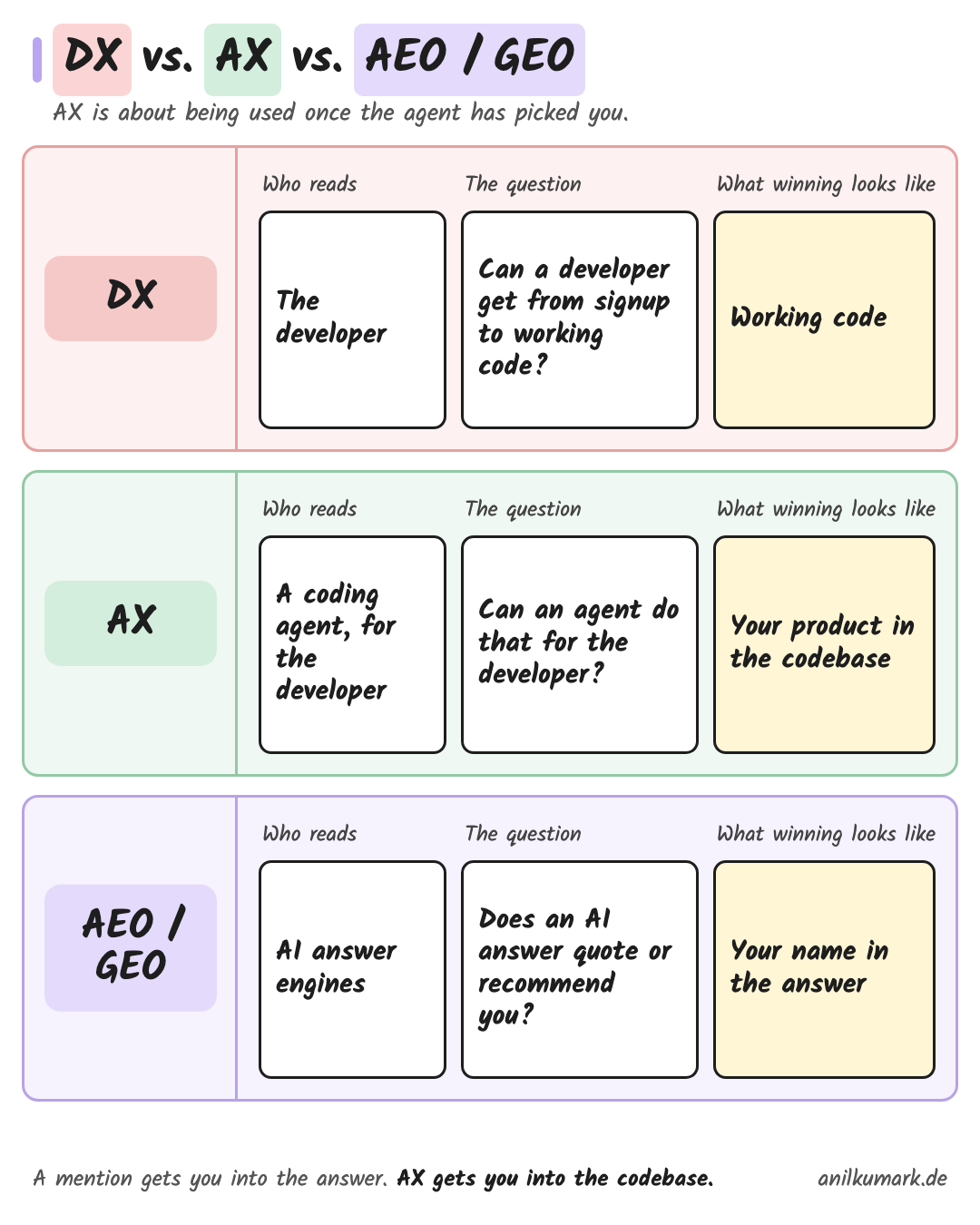
| DX | AX | AEO / GEO | |
|---|---|---|---|
| Who reads | The developer | A coding agent, for the developer | AI answer engines |
| The question | Can a developer get from signup to working code? | Can an agent do that for the developer? | Does an AI answer quote or recommend you? |
| What winning looks like | Working code | Your product in the codebase | Your name in the answer |
How do I make my docs readable for AI agents?
Publish an llms.txt index, serve a markdown version of key pages, and put prices and code in plain text. Write FAQs from real search questions. Then test each page with curl and read what comes back. For the index itself, see the llms.txt playbook for devtools companies.
Bright Data’s docs run on Mintlify, which handles most of this out of the box. It generates llms.txt and llms-full.txt, serves a .md version of every page and answers Accept: text/markdown, and hosts a search MCP server for your docs. A custom llms.txt replaces the generated one, which is where we wrote our own instructions for agents.
How do I measure agent traffic to my docs?
Check your server logs for agent user agents such as ChatGPT-User, Claude-User and PerplexityBot, plus referrals from chatgpt.com and perplexity.ai. Record a baseline now and compare monthly.
Anil Kumar Krishnashetty is a Senior Technical Product Marketing Manager at Bright Data in Berlin. An engineer with 10+ years in frontend and software engineering (SAP, One.com), technical product manager at Contentful and commercetools, and PMM at Lokalise and Parallels. He speaks about developer experience, the agent-era web, and technical product marketing, 25+ talks and counting.